
★★★★★
March 3, 2026
Went on easy, everything fit nicely.

Replaces







About TRQ:
TRQ is a trusted brand dedicated to making every repair a success story by combining premium parts with easy installation. Each TRQ part is engineered by a team of automotive experts to meet or exceed OEM standards, delivering enhanced performance and maximum longevity. With rigorous in-house testing, the brand ensures superior fit and function across every product line. TRQ also provides customers with best-in-class, step-by-step installation videos—so you can complete repairs with confidence, whether you're a first-time DIYer or an industry professional.
Product Features
Attention California Customers:
 WARNING: This product can expose you to chemicals including Lead and Lead Compounds, which are known to the State of California to cause cancer, and birth defects or other reproductive harm. For more information, go to www.P65Warnings.ca.gov.
This part fits 16 vehicles spanning 1995-2002.
| Year | Make | Model | Description |
|---|---|---|---|
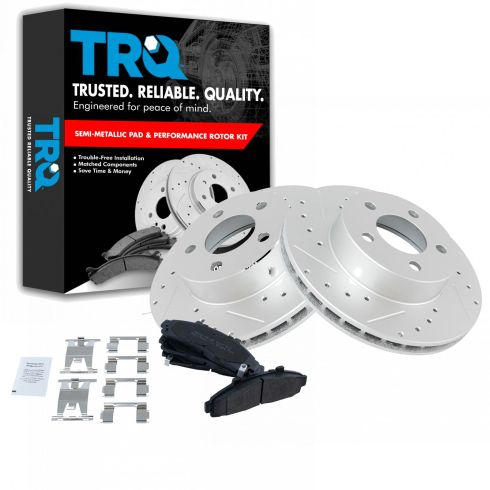
| 1995-2000 | Ford | Explorer | Ford Explorer 4 Wheel Drive Front Semi-Metallic Premium G-Coated Brake Pad & Rotor Kit TRQ Performance BKA12140 |
| 1996-2000 | Ford | Explorer | Ford Explorer All Wheel Drive Front Semi-Metallic Premium G-Coated Brake Pad & Rotor Kit TRQ Performance BKA12140 |
| 2001 | Ford | Explorer | Ford Explorer Eddie Bauer 4 Wheel Drive Front Semi-Metallic Premium G-Coated Brake Pad & Rotor Kit TRQ Performance BKA12140 |
| 2001 | Ford | Explorer | Ford Explorer Eddie Bauer All Wheel Drive Front Semi-Metallic Premium G-Coated Brake Pad & Rotor Kit TRQ Performance BKA12140 |
| 2001 | Ford | Explorer | Ford Explorer Limited 4 Wheel Drive Front Semi-Metallic Premium G-Coated Brake Pad & Rotor Kit TRQ Performance BKA12140 |
| 2001 | Ford | Explorer | Ford Explorer Limited All Wheel Drive Front Semi-Metallic Premium G-Coated Brake Pad & Rotor Kit TRQ Performance BKA12140 |
| 2001 | Ford | Explorer | Ford Explorer XL Fleet 4 Wheel Drive Front Semi-Metallic Premium G-Coated Brake Pad & Rotor Kit TRQ Performance BKA12140 |
| 2001 | Ford | Explorer | Ford Explorer XLS 4 Wheel Drive Front Semi-Metallic Premium G-Coated Brake Pad & Rotor Kit TRQ Performance BKA12140 |
| 2001 | Ford | Explorer | Ford Explorer XLT 4 Wheel Drive Front Semi-Metallic Premium G-Coated Brake Pad & Rotor Kit TRQ Performance BKA12140 |
| 2001 | Ford | Explorer | Ford Explorer XLT All Wheel Drive Front Semi-Metallic Premium G-Coated Brake Pad & Rotor Kit TRQ Performance BKA12140 |
| 1998-2002 | Ford | Ranger | Ford Ranger 4 Wheel Drive Front without Integrated Hub Semi-Metallic Premium G-Coated Brake Pad & Rotor Kit TRQ Performance BKA12140 |
| 1998-2002 | Mazda | B3000 Truck | Mazda B3000 Truck 4 Wheel Drive Front without Integrated Hub Semi-Metallic Premium G-Coated Brake Pad & Rotor Kit TRQ Performance BKA12140 |
| 1998-1999 | Mazda | B4000 Truck | Mazda B4000 Truck 4 Wheel Drive Front Semi-Metallic Premium G-Coated Brake Pad & Rotor Kit TRQ Performance BKA12140 |
| 2000-2002 | Mazda | B4000 Truck | Mazda B4000 Truck 4 Wheel Drive Front without Integrated Hub Semi-Metallic Premium G-Coated Brake Pad & Rotor Kit TRQ Performance BKA12140 |
| 1997-2001 | Mercury | Mountaineer | Mercury Mountaineer All Wheel Drive Front Semi-Metallic Premium G-Coated Brake Pad & Rotor Kit TRQ Performance BKA12140 |
| 1998-2001 | Mercury | Mountaineer | Mercury Mountaineer 4 Wheel Drive Front Semi-Metallic Premium G-Coated Brake Pad & Rotor Kit TRQ Performance BKA12140 |
| Brand Label | Part Number |
|---|---|
| Raybestos Brakes | EHT652H |
| Wagner | BD125494 |
| DuraGo | BR54035 |
| Aimco | 54035 |
| Bendix | PRT5075 |
| Raybestos Brakes | 66576 |
| Ford | XL2Z2001AA |
| Mercury | XL2Z2001BA |
| Mazda | ZZR049280 |
| Ford | XL2Z2001BA |
| Mercury | XL2Z2001AA |
| Mercury | F57Z2001AA |
| Mazda | ZZR049280A |
| Mazda | ZZM049280A |
| Ford | F57Z2001AA |
| Raybestos Brakes | 66576FZN |
| Raybestos Brakes | 66576P |
| Raybestos Brakes | 66576R |
| Hollander | 530-01848 |
| FMSI | CD652 |
This item may be interchangeable with parts from other brands with the above part numbers. This information is provided only for reference and does not guarantee that the item you are purchasing is identical to parts with part numbers from the brands listed above. To confirm that this item fits your vehicle, use the above "Check Vehicle Fit" option.
Lifetime Warranty
This item is backed by our limited lifetime warranty. In the event that this item should fail due to manufacturing defects during intended use, we will replace the part free of charge. This warranty covers the cost of the part only.
FREE Shipping is standard on orders shipped to the lower 48 States (Contiguous United States). Standard shipping charges apply to Hawaii and Alaska.
Shipping is not available to a P.O. Box, APO/FPO/DPO addresses, US Territories, or Canada for this item.
Expedited is available on checkout to the United States, excluding Alaska, Hawaii.
Final shipping costs are available at checkout.
Created on:
Tools used
Brought to you by 1AAuto.com, your source for quality replacement parts and the best service on the Internet.
Hi, I'm Mike from 1A Auto. I hope this how-to video helps you out, and next time you need parts for your vehicle, think of 1AAuto.com. Thanks!
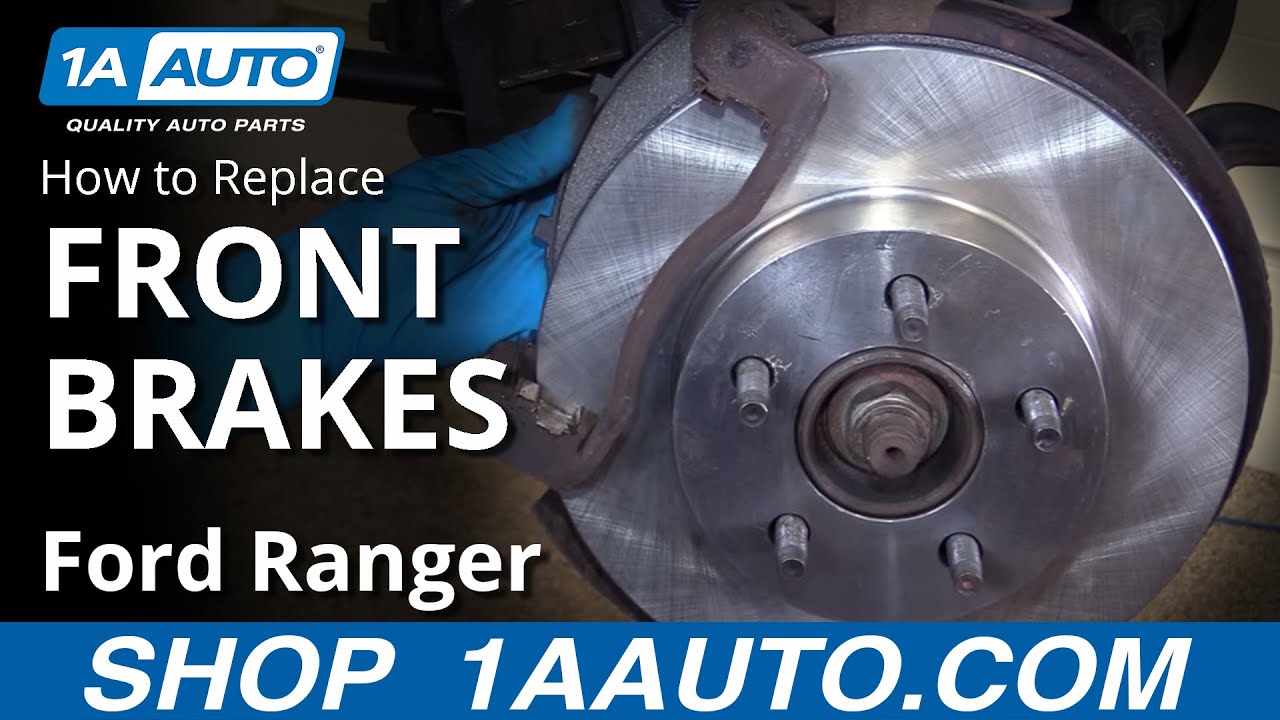
In this video, we're going to be working with our 2001 Ford Ranger 4.0-liter V6 4-wheel drive. We're going to be showing you how to replace the front brake pads and rotors. We happen to do this on the passenger side, but the driver side is done the exact same way. You do always want to replace these as a pair.
If you like this information, please click subscribe. We have a ton more videos on this truck, as well as many other makes and models. If you want these parts for your vehicle, follow the link in the description. They're available at 1AAuto.com.
Here are the items you'll need for this repair: flat blade screwdriver, wheel lock key, 13mm-19mm sockets, ratchet, socket extensions, breaker bar, jack and jack stands, bungee cord, goggles, dust mask, wire brush, brake grease, rag, paper towel, brake cleaner, and a torque wrench.
Using a taped flat blade screwdriver, locate the relief cuts in the hubcap. Stick the screwdriver in, and pry out to release it from the wheel. This particular truck has a wheel lock on it, so we'll need the wheel lock key in order to remove it. Otherwise, the rest of the nuts come off with a 19-millimeter socket and breaker bar. Simply crack them loose for now.
Raise and support your vehicle, and remove the lug nuts the rest of the way. Remove the wheel from the vehicle.
Remove the two 13 millimeter bolts securing the brake caliper onto the slides and the caliper bracket. Using a 13 millimeter socket and ratchet, remove the caliper and secure it off to the side with a bungee cord, zip-tie, or mechanics wire. Remove the two caliper bracket bolts with a 15 millimeter socket and ratchet. Remove the caliper carrier. Remove the rotor from the hub.
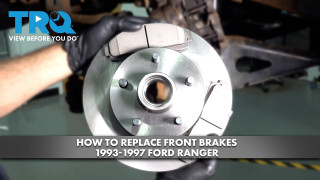
Here we have our old brake rotor and pads that we removed from our vehicle and our new parts from 1AAuto.com. As you can see, these rotors are identical, as are the pads. They have the same tabs that'll slide into the caliber carrier bracket. We have a squealer on one pad per pair. We have the same size and shape friction material, as well as the backing plate itself.
If your brake pads are worn out or your rotors are warped, these new parts from 1A Auto are going to go in direct fit, just like your original equipment, and fix you up right.
These next steps produce quite a bit of dust, so it might be a good idea for you to wear a dust mask and perhaps safety goggles. You're going to want to take a flat blade screwdriver, and carefully remove the metal slides from the caliper bracket. Using a wire brush, remove all the build-up and corrosion from the channels the slides set in. Also, remove the build-up from the steel slides themselves if salvageable. If these are too corroded, you'll have to replace them with new parts.
Now that the carrier surfaces are clean, install metal slides. Make sure they seat fully in. Remove the brake caliper slides one at a time. The boots got stuck, so I have to work those off. Install them onto the carrier. Take a clean paper towel to remove all the old brake grease from the pins. Apply a thin coat of brake grease. Reinstall into the boot. Repeat this step with the other pin. Apply a thin coat of brake grease to the slides as well.
Again, this next step produces a bit of dust, so you may want to wear a dust mask, as well as some goggles. Use a wire brush and clean the surface of the hub. Apply a thin coat of brake grease to the surface of the hub. Using a pair of Groove Lock pliers, carefully and slowly compress the pistons back into the caliper.
Install the rotor onto the hub backwards. Spray it down with brake cleaner. Flip it over, clean down the other side as well.
Reinstall the caliper carrier and the two 15 millimeter bolts. Tighten these bolts down with a 15 millimeter socket and ratchet. Torque these bolts to 85 foot-pounds.
Install the brake pads into their slides in the caliper carrier. Apply a thin coat of brake grease to the back of the pads where the caliper will ride against them. Remove whatever you used to secure the brake caliper. Make sure that the hose is not twisted or kinked. Reinstall under the caliper carrier. Tighten these bolts down with a 13 millimeter socket and ratchet. Torque these bolts to 24 foot-pounds.
Reinstall the wheel and tire. Start your lug nuts by hand. With the weight of your vehicle on the tires, torque the lug nuts to 100 foot-pounds in a cross pattern. Line up the tabs on the inside of your hubcap to the lug nuts. Tap it back into place.
Thanks for tuning in. We hope this video helped you out. Next time you need parts for your car, please visit 1AAuto.com. Also check out our other helpful how-to and diagnosis videos.
Tools used
Brought to you by 1AAuto.com. Your source for quality replacement parts and the best service on the Internet.
Hi, I'm Mike Green. I'm one of the owners of 1A Auto. I want to help you save time and money repairing or maintaining your vehicle. I'm going to use my 20 plus year experience restoring and repairing cars and trucks like this to show you the correct way to install parts from 1aauto.com. the right parts installed correctly, that's going to save you time and money. Thank you and enjoy the video.
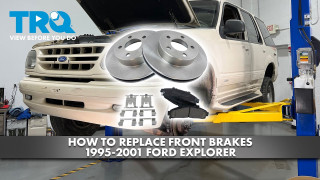
In this video, we'll be showing you how to remove and replace the front pads and rotors on this '98 Explorer, same as any 95 to 01 Explorer or Mountaineer and also the same as many front disk equipped vehicles. Tools you'll need are jack and jack stands, 13 mm, 15 mm, and 19 mm sockets and ratchet; hammer and punch or screwdriver, and that's only if one of your pads doesn't want to come out; and a large C-clamp.
Obviously, you're going to want to jack up and take care of your vehicle. You can just work a screwdriver under there and pry off your cap, and hen these are 19 mm. If you don't have impact tools loosen your lug nuts on the ground then raise your vehicle and secure it with the jackstand and then remove the lug nuts. Once the lug nuts are off, just pull the tire off. Once you have the wheel off, you see I've actually turned and you just pull on it, I've turned the wheels to the left. There're four bolts that basically hold the brakes on. There's one here, 13 mm, and one up here. Those just hold the calipers to this big bracket. There's also a 15 mm bolt here and a 15 mm bolt right up here. Those hold the bracket to the steering knuckle. The larger bolts allow you to get your rotor off while these smaller ones just allow you to get your caliper off.
I'll remove the two smaller ones first. Top one, I can't get my impact wrench in there, so do it the old fashioned way. You can see when I did that my caliper popped right off which means my bolt might be stuck in here. Take my other bolt off. Now my caliper can come right up and off. Just put that right up here. You can see here I just wire tied my caliper up here to keep in place. We're just looking to change your pads. You just pull them off right here. They pull right out. I'm just going to use a punch and a little hammer to tap my rear pad out there. Actually, these pads are in pretty good shape. You remove the two larger 15 mm bolts. This bracket then comes right off and your rotor comes right off. You can see the new rotor's on there. It fits nicely. Obviously, everything in the kit from 1A Auto's going to fit well. This truck is just a video mule and the brakes are actually fine on it, so I am just going to reinstall the original brakes. I just wanted to show you that. You may have noticed from the wonders of editing there is a new hub on there, so you can see our video for hub installation. Truck did need a new hub. Obviously, the rotor goes right on. You want to put the hub bracket back on which bolts into the back here. The bracket does go on the hub side of the steering knuckle. These bolts, they're the 15 mm that hold this bracket on. You want to tighten to about 60 to 65 foot pounds.
The new pads from 1A Auto, you can see these are the pads that are on the truck. They actually have life left. Here's the metal. This is the metal of the pad, and then here's the pads themselves, so there's still some pretty good wear. You can see the new ones are quite a bit thicker. Just want to show our pads will install just like the original. What you might need to do for this application, these wear tabs may get in your way, so you may need to just use a hammer and tap them down. You can see on this it's tapped down, so it's facing straight down that's because it has to go into the bracket. What I might suggest is before you put the pads on, just is this just a little bit of anti-seize. You can use any kind of lubricant, maybe a little bit of white grease. I'm just going to put this in where the pads go in. Be careful not to get it on the disc. You don't want to get anything on your rotor that would interfere with the friction of the brake pads. This right here is where the pads install into, so I just put a little bit of lubricant on it and on the backside as well. It doesn't when you put the new pads in which side you put them in. I'm going to put these back the way they were. This one was on the front side. Like I said, with new ones it doesn't really matter how you put them in, but these were already installed so leave them on the way they were installed. This back one is going to require a little bit of tapping.
You're going to want to loosen up the cap on your brake fluid here. If you're putting new pads on you'll want to take a C-clamp like this and you're going to want to push your pistons back into the caliper. Even in fast motion you can see here the clamp just pushes the piston in, and you want to be careful that you don't pinch any lines or anything like that. If your calipers have more than one piston you have to do it on all pistons.
Now these bolts only require about 30 foot pounds of torque, so I'm just using this wrench and getting them tight but no incredibly tight. They just hold the caliper. What it actually does the braking is this big bracket here that's bolted to the steering knuckle. The caliper pushes the pad against the rotor, and then that pad jams up against this bracket. This bracket is tightened on with 65 to 70 foot pounds while these bolts only will be about 20 or 30 foot pounds because they're just holding the caliper in place.
Just a quick word here, when you go to test drive your car, first thing you want to do is pump your brakes a bunch of times. As you push those pistons back in they need to work their way back out, so you want to pump your brakes a bunch of times, and then you'll want to hold your brake, put it in gear, and make sure the brakes hold the car, and then do a 10 mile an hour stop and just make sure your brakes are working before you put it on the road and road test it.
Now just in the interest of keeping it short, we'll put the wheel back on, put your lug nuts on, get them snug, then lower the car to the ground, torque them up to 90 to 100 foot pounds, replace your cap and you're in business.
We hope this helps you out. Brought to you by www.1AAuto.com, your source for quality replacement parts and the best service on the Internet. Please feel free to call us toll free, 888-844-3393. We're the company that's here for you on the Internet and in person.
Went on easy, everything fit nicely.
Perfect fit and improved the stopping of my explorer
This was the first thing I ordered from them for my 2000 Ford Ranger and I was very pleased with them, they were very affordable and and just look amazing. Truly cannot beat the their price! 5 stars so far and as long as I keep getting parts and time like they offer it will be 5 stars anytime I go through them.
Very happy with the Price and quality of the brake parts for my 2000 Ford Explorer. On The Road Again.
I have already got brakes and rotors for my fathers cars worked out great now these for my car worked perfect also both sets from 1a auto no problems or issue's im happy with my purchase
Pretty heavy but besides that the quality was great, not a bad product the pads that come with are good quality, good deal if this is what you are looking for
Rotors and pads seem to be better than OEM. To get drilled and slotted rotors with high quality pads and free shipping to boot is a great deal.

BKA12140
